

Handheld microphone handling noise cannot be guaranteed to disappear under every condition. However, suitable microphone design, a steady grip and careful audio setup can reduce its impact. The practical goal is clear speech or vocals during normal use, without distracting thumps, rubbing or clicks.
For distributors, rental companies and project buyers, this is also a selection issue. A microphone that sounds good on a stand may behave differently when users pick it up, change hands or pass it to another speaker.
What causes handling noise in a handheld microphone?
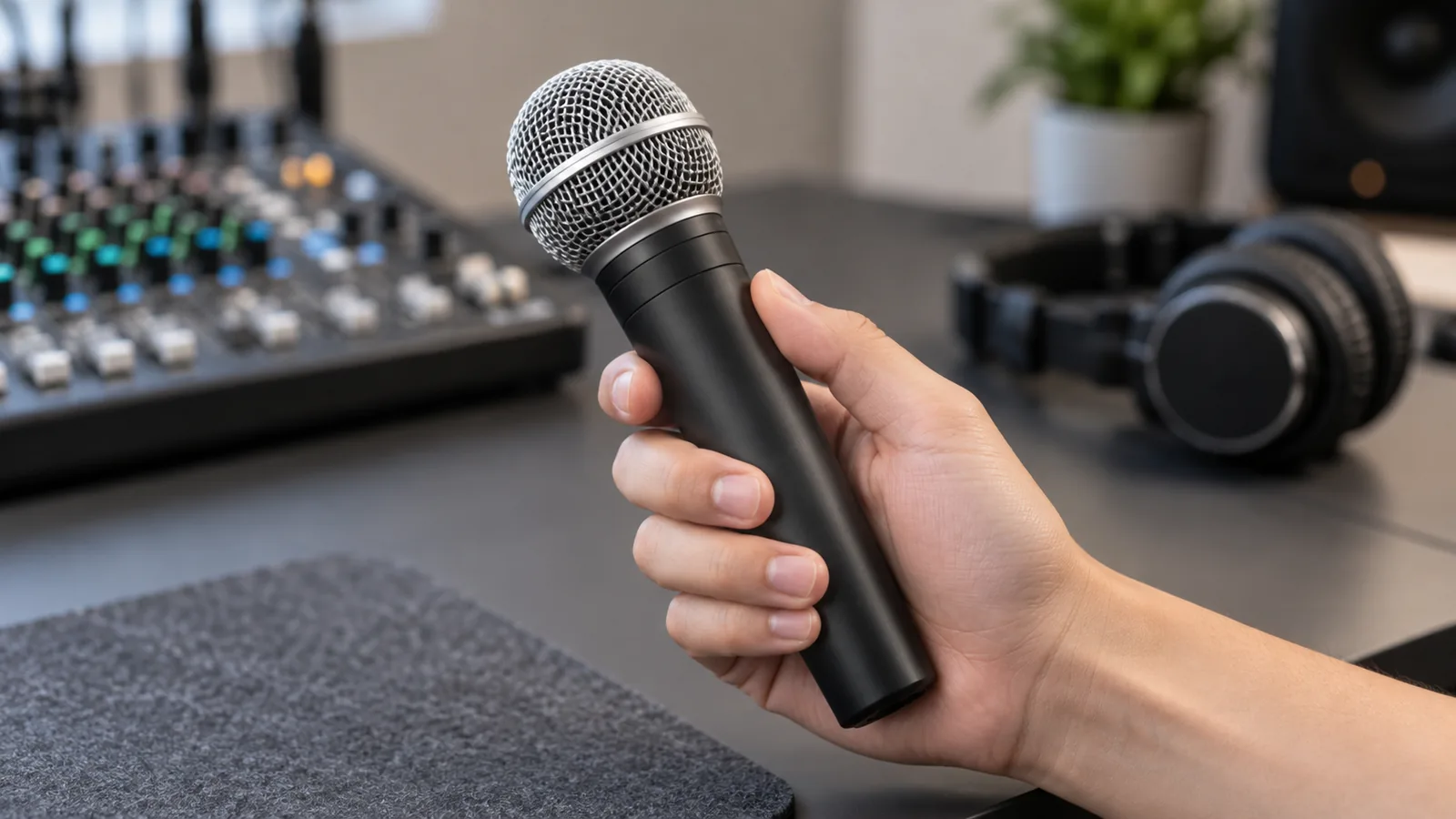
Handling noise is unwanted sound produced when physical movement or contact affects the microphone. Vibrations can travel through its body and mounting structure to the capsule, which converts them into an audio signal. Some contact sounds can also reach the capsule through the air.
Finger rubbing, knocks and jewelry touching the housing can therefore become audible. A microphone designed for handheld use should limit these effects. DPA explains the relationship between contact, grip and handling noise.
This differs from microphone self-noise, which is generated internally by the microphone’s electronics, and from radio interference in a wireless system. Identifying the source matters because the remedies differ.
Can handling noise be eliminated completely?
There is no reliable all-conditions promise of zero handling noise. A microphone may be quiet during a steady grip yet produce a transient when struck or rubbed. The severity and audibility depend on the microphone, the contact and the listening conditions.
Internal shock mounting helps isolate the capsule from vibration. Shure’s explanation of shock mounts describes why mechanical isolation matters. It does not establish the performance of another manufacturer’s microphone.
Treat “low handling noise” as a claim to verify with representative samples. Ask what movements were tested and what processing was active, rather than accepting “noise-free” as a complete specification.
How to reduce handheld microphone handling noise
Choose a microphone designed for handheld use
Check how the capsule is supported and whether the manufacturer has evaluated the complete handheld assembly. The presence of a shock mount alone does not tell you how the finished microphone will perform.
Neither a metal body nor the label “dynamic” or “condenser” is enough to rank handling noise. Compare the actual models under the same intended conditions. For example, Shure’s KSM9HS condenser vocal microphone guide describes a suspension system for isolating handling and stand noise; condenser construction does not automatically rule out handheld use.
Keep a stable grip and reduce contact
Hold the body comfortably and avoid sliding fingers along it while speaking. Keep rings and other hard objects from knocking against the housing. A relaxed, stable grip helps reduce unnecessary movement.
Keep the grille unobstructed and follow the model’s hand-placement guidance. Do a brief rehearsal with the people who will actually use the microphone, especially when several speakers will share it.
Manage cables and check fittings
For a wired microphone, provide enough cable slack for normal movement without pulling on the connector. If touching the cable produces crackling, substitute a known-good cable and inspect the connection before treating the problem as normal handling noise.
Check user-serviceable fittings, such as the grille or battery cover, according to the manufacturer’s instructions. A rattle or intermittent connection needs investigation; filtering should not become a substitute for repair.
A wireless handheld removes the microphone cable as one possible source, but physical contact can still affect the microphone body and capsule.
Apply a high-pass filter carefully
A high-pass filter, also called a low-cut filter, attenuates low frequencies. It can reduce the low-frequency part of handling noise. Sennheiser documents this use in its wireless audio settings.
Start with the available low-cut setting and listen to both normal voice and handling movements. If the cutoff is adjustable, increase it only as far as needed while preserving vocal body. There is no single cutoff that suits every voice, microphone and application.
Sharp clicks and rubbing can extend beyond the filter’s useful range. A downstream filter also cannot restore a signal already clipped earlier in the audio chain. Reduce the physical disturbance and check input headroom first.
Set levels for the voice and manage handovers
Set input gain using realistic speech or singing levels and leave room for peaks. Turning everything down makes the voice quieter too; it does not improve the microphone’s underlying resistance to handling noise. See our guide to mixer gain and channel faders.
During a planned handover, an operator can mute the channel briefly and reopen it before the next speaker begins. Rehearse the timing to avoid losing words.
A noise gate reduces output below a threshold; it cannot selectively remove contact noise while the voice keeps the gate open. A sufficiently loud knock may also open it. This follows from the threshold-based operation described by Sennheiser. Noise suppression should be evaluated with speech, since processing may alter the wanted sound.
Is it handling noise, or a different problem?
Use these clues to choose the next check. They are starting points, not a diagnosis by sound alone.
| What you hear | What to investigate first |
|---|---|
| Thumps or rubbing that coincide with hand movement | Grip, body contact, capsule isolation and low-cut settings |
| Crackles when a cable or connector moves | Cable and connector condition; compare with a known-good cable |
| Pops on “p” or “b,” or rumble in moving air | Plosives or wind; check microphone position and suitable wind protection |
| Dropouts or bursts as a wireless user moves around | RF conditions and system setup, alongside possible connection faults |
| Rattling from one unit during ordinary handling | Loose or damaged parts; compare another sample and contact the supplier |
Foam windscreens primarily address wind and breath noise; they do not replace capsule isolation. Shure explains their role in minimizing wind noise.
Likewise, true diversity addresses wireless reception problems rather than mechanical vibration. Our true diversity wireless microphone guide explains that distinction.
How buyers can compare handling noise in samples
Use a repeatable comparison rather than a single aggressive tapping demonstration. The following is a suggested buyer workflow, not a standardized laboratory test.
- Document the setup. Record model and sample identifiers, capsule, receiver settings where applicable, cable, mixer input, processing and recording path.
- Match the wanted voice level. Use the same speaker, phrase, mouth distance and orientation. Adjust each sample to a comparable recorded voice level, then keep that sample’s gain fixed. Identical knob positions may be misleading when sensitivities differ.
- Capture a reference. Record speech with a steady grip, followed by a quiet interval without changing settings. Disable optional gates, automatic gain and noise suppression where possible; note any processing that cannot be disabled.
- Repeat realistic movements. Record a normal grip adjustment, a handover and placement in or removal from the intended clip. Use the same sequence and operator. Avoid impacts that could damage the sample.
- Compare raw and practical settings. First listen with optional low-cut and other processing bypassed where possible. Then repeat with the intended operating settings, checking that quieter noise has not come at the expense of speech quality.
- Review more than one unit when feasible. Listen on headphones and at the intended PA level, with voice playback matched. Record distracting events and differences between samples.
Keep the original files and setting notes. Do not normalize each handling event separately: that removes the level relationship you are trying to compare. Agree on acceptance conditions and a reference sample before ordering. This listening comparison supports selection; it does not by itself establish batch consistency or an absolute noise rating.
What to ask a supplier before ordering
When comparing wireless microphone systems, include handling behavior alongside audio, RF and configuration requirements. Useful questions include:
- What capsule isolation is used in the proposed handheld assembly?
- Is low-cut available, where does it act, and can it be bypassed for comparison?
- Are demonstration recordings processed? Which settings were used?
- Can representative samples be evaluated using our agreed movement sequence?
- How are loose fittings, abnormal contact noise and sample-to-sample differences checked?
- How will an approved sample and relevant construction be identified for the order?
For an OEM project, also ask whether changing the capsule, body finish or assembly could change handling behavior, and when a revised sample should be reviewed.
EP AudioSource helps overseas B2B buyers clarify requirements and coordinate manufacturer communication, quotations and samples in Enping, China. Discuss your microphone sample requirements with your destination country, application, estimated quantity, wired or wireless configuration, simultaneous channel needs and proposed handling-noise checks. Product performance and commercial terms must be confirmed with the responsible supplier.